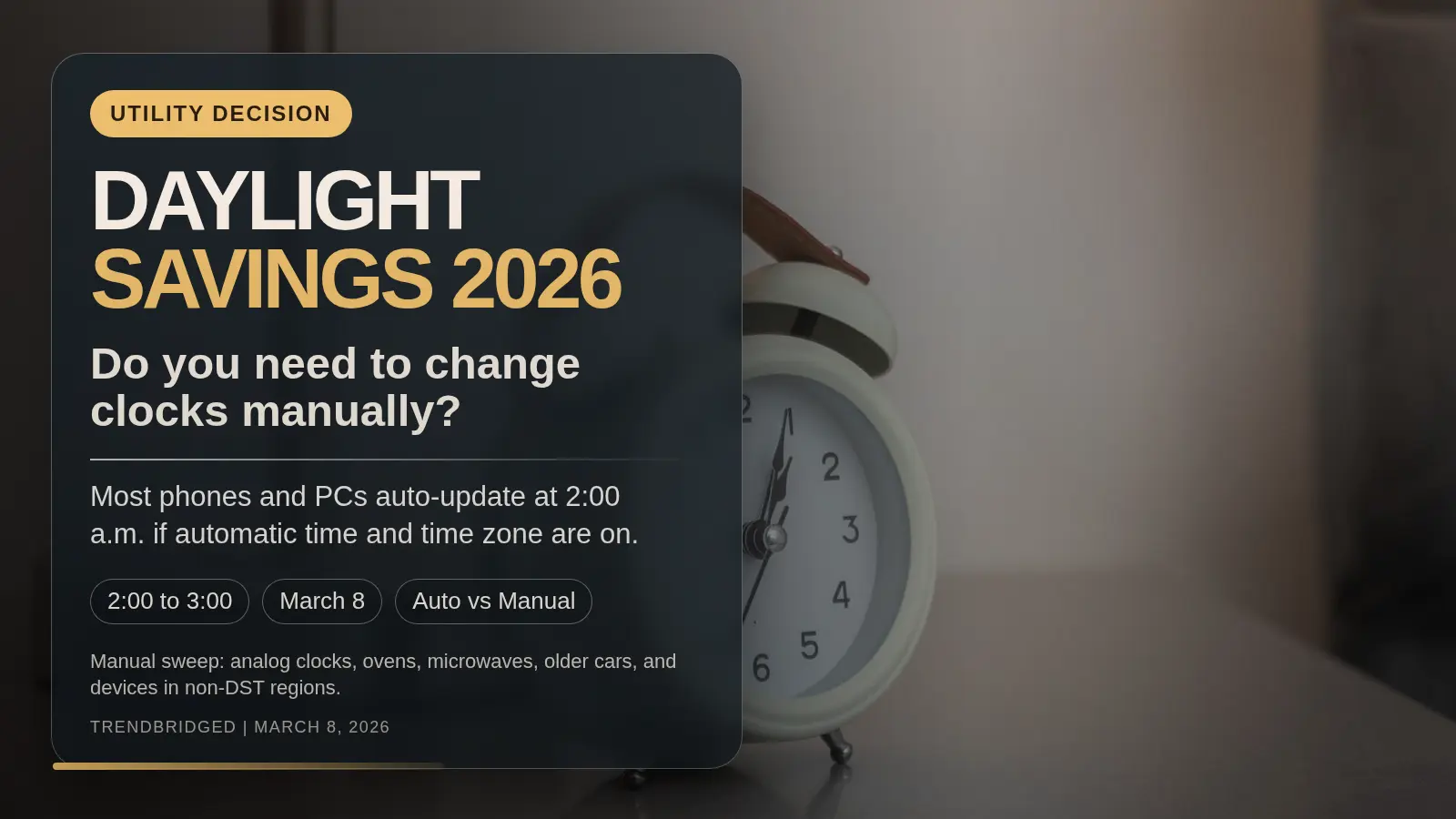
If you're searching daylight savings 2026, the practical question is not what the rule is called. NIST uses the formal term daylight saving time, but the real decision is simpler: do you need to touch every clock in your home tonight? On Sunday, March 8, 2026, the U.S. switch happens at 2:00 a.m. local time, and the clock jumps to 3:00 a.m. The short answer is no: most phones and PCs should update automatically if automatic time and automatic time zone are turned on, while analog clocks, ovens, microwaves, car dashboards, and manually configured devices usually still need a reset.
Based on official NIST, Apple, Google, and Microsoft guidance plus first-hand observation of the public support pages on March 8, 2026, the clean rule is simple: leave connected devices alone if their automatic settings are enabled, and do a manual sweep only for clocks that are not networked or are set manually.
Which clocks should change automatically tonight?
Use this fast filter before you walk around the house changing everything:
Leave it aloneif the device already pulls time from the internet, cellular service, or an operating-system time setting.Check one toggle firstif the device has settings likeSet Automatically,Automatic date and time, orSet time zone automatically.Change it by handif the device is an analog clock, an appliance clock, an older car clock, or anything you know you set manually.Skip the change entirelyif you are in Hawaii, most of Arizona, American Samoa, Guam, Puerto Rico, or the U.S. Virgin Islands.
NIST says daylight saving time now runs for 238 days, or about 65% of the year, and begins at 2:00 a.m. on the second Sunday in March before ending at 2:00 a.m. on the first Sunday in November. In 2026, that means the spring change lands on March 8 and the fall change lands on November 1. The one-hour jump is the number that matters tonight: 2:00 a.m. becomes 3:00 a.m.
What do the official device pages tell you to check?
The useful pattern across the official pages is that none of them asks you to hunt for a one-off 2026 daylight saving switch. They all point back to a general automatic time path.
| Device | Should it auto-update? | What the official page says to check | Manual-risk trigger |
|---|---|---|---|
| iPhone | Usually yes | Apple says the time zone is set automatically; if you do not have Location Services turned on or do not have service, you can change it in Settings > General > Date & Time | Set Automatically turned off, no service, or no location-based time zone |
| Pixel or Android phone | Usually yes | Google says to turn on Automatic date and time and Automatic time zone in the Clock settings flow | Automatic date/time off, automatic time zone off, or no location-based time zone detection where needed |
| Windows PC | Usually yes | Microsoft says to keep Set time automatically on and, if you want zone handling done for you, keep Set time zone automatically on | Automatic time off, automatic time zone off, or a manual daylight-saving setting override |
That table is the core decision block for this topic. If your device lives in one of those three rows and the automatic toggles are already on, the official guidance supports waiting and letting the software handle the March 8 jump for you.
Which clocks still need a manual change?
This is where the public support pages help by implication.
Apple, Google, and Microsoft all make automatic updates depend on some combination of service, software, location, or time-zone automation. That means the manual bucket is not mysterious. It is usually the stuff in your house that does not have those inputs:
- analog wall clocks and standalone bedside alarm clocks
- oven, microwave, coffee maker, and other appliance clocks
- older car dashboards and aftermarket in-car clocks
- battery-powered devices that are not radio-synced or network-synced
- any phone, tablet, or PC where you previously turned automatic time off for travel, testing, or troubleshooting
That manual list is partly an inference from the official pages, not a direct quote from one source. The logic is straightforward, though: if the official auto-update path relies on connectivity or automatic settings, devices without those conditions stay manual.
Leave it automatic or fix it by hand?
Use this split if you want the shortest possible answer.
Leave it automatic if these are true
- the device is connected to cellular, Wi-Fi, or a modern operating system time service
automatic timeis already onautomatic time zoneis already on where the device offers it- the device already shows the correct local date and time before bed
Change it manually if any of these are true
- the device is a simple household clock with no network or radio sync
- you know
Set Automaticallyor the equivalent was turned off - the clock is in a car or appliance that regularly drifts even outside DST weekends
- you live in a non-DST area and need to make sure a device does not spring forward by mistake
The last point matters more than many guides admit. NIST says Hawaii, most of Arizona, American Samoa, Guam, Puerto Rico, and the U.S. Virgin Islands do not observe daylight saving time. If you live in one of those places, the right decision is often the opposite of everyone else's: check that your devices stay put.
What should you check before you go to sleep?
You do not need a long checklist. You need one useful pass.
- Check one phone and one computer for automatic time settings.
- Make a quick list of manual clocks: usually kitchen appliances, analog clocks, and older cars.
- If you live in a non-DST area, confirm your devices are using the correct local time zone and are not about to jump ahead.
- Expect alarms tied to device time to move with the clock. The jump is still 2:00 a.m. to 3:00 a.m., so you lose one hour of overnight clock time.
That is enough for most households. If your main phone and PC are configured correctly, you are not deciding whether to conduct a house-wide time ritual. You are deciding whether a few stubborn clocks deserve attention.
If one of the devices you are checking tonight is also due for an upgrade, Should You Buy iPhone 17e Now or Wait? and MacBook Neo Buying Guide: 256GB vs 512GB and Touch ID help on the phone and laptop side. The broader Consumer Tech hub groups the rest of our device guides.
Verdict for March 8, 2026
For most U.S. households, Daylight Savings 2026 is not a full manual reset job.
If your phone and PC already use automatic time and automatic time-zone settings, the better move is to leave them alone and focus only on clocks that are obviously manual. The real risk is not forgetting a smartphone. It is forgetting the oven clock, the car dashboard, or a manually configured device you stopped thinking about months ago.
That is the useful rule for tonight: trust connected devices with automatic settings, and manually fix only the clocks that still behave like standalone hardware.